



UltraEdit PowerTips
Windows Explorer Integration
We know that many UltraEdit/UEStudio users don’t operate solely from within the editor; rather, they are frequently working in Windows Explorer before going to the editor. As such, they want (and need) a quick and easy way to open files from within Windows Explorer. So the obvious question is, how can UltraEdit/UEStudio better meet the needs of those users who fall into this category. The answer – Explorer Integration.
Integrate with Explorer
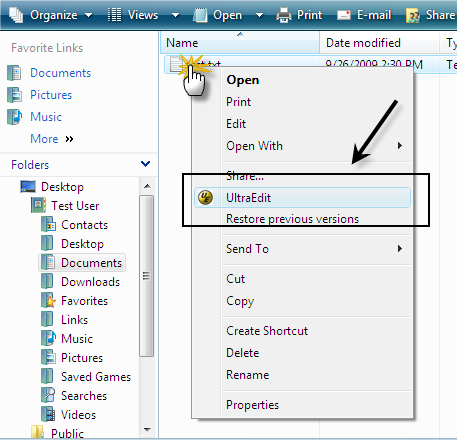
The Integrate with Explorer feature – sometimes called Shell Integration – provides a top-level entry in the right-click context menu in Explorer.
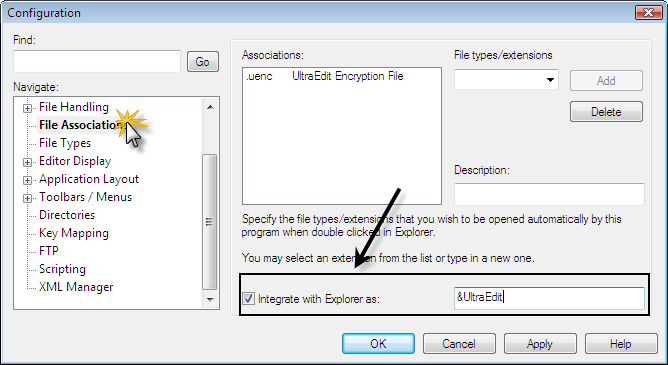
You can integrate UltraEdit/UEStudio into the top-level of the right-click context menu in Explorer by checking (enabling) the “Integrate with Explorer as” option in Advanced : Configuration : File Associations.
Now, when you right-click in Windows Explorer, you should see UltraEdit (or UEStudio) as an entry in the menu. When you select the UltraEdit option – after selecting one or more files – Windows will open the file(s) in UltraEdit.